Baby monitors range from a $25 audio-only unit to a $300+ smart camera with sleep tracking, and the “best” one genuinely depends on your home layout, budget, and how much data you actually want. Rather than chasing the highest-rated monitor on a list, it helps to work through a few real questions first.
Question 1: Audio-Only, or Video Too?
Audio-only monitors are cheaper, simpler, and have fewer things to go wrong, but they tell you nothing about whether baby is actually asleep, stuck, or just briefly fussing before self-soothing. Video monitors answer that question directly and are generally worth the extra cost for most parents, especially in the early months when checking in visually reduces unnecessary trips into the nursery.
VTech VM819 Video Baby Monitor
A straightforward non-WiFi video monitor with a dedicated handheld viewer, aimed at parents who want video without connecting another device to their home network.
Question 2: Wi-Fi/App-Connected, or a Dedicated Local Screen?
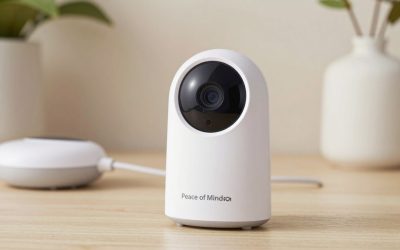
Wi-Fi monitors stream to a phone app, which means you can check in from anywhere in the house (or outside it) and often get extra features like sleep tracking, motion alerts, and two-way talk through the app. The trade-off is a dependency on your home Wi-Fi staying stable and, for most app-based monitors, no live camera feed if the internet goes down. Non-Wi-Fi monitors use a dedicated local radio signal between the camera and a handheld viewer — no app, no internet dependency, and generally viewed as more private since the feed never leaves your home network.
Infant Optics DXR-8 PRO Baby Monitor
A non-WiFi monitor using a private local video link with pan-tilt-zoom control and interchangeable lenses, popular specifically because it skips any app or subscription requirement.
Nanit Pro Smart Baby Monitor
A WiFi-connected monitor with an overhead-mounted camera and sleep-tracking analytics, generally considered the top pick for parents who want data about sleep patterns, not just a live video feed.
Question 3: Do You Need Health Monitoring, or Just Video?
A newer category of monitors adds wearable sensors that track heart rate and oxygen levels, aimed at parents who want more than a camera view. These are a genuinely different product category from standard video monitors and usually cost more.
Owlet Dream Duo 3 Baby Monitor
Pairs an FDA-cleared wearable sock that tracks pulse oxygen and heart rate with a standard HD camera, aimed at parents specifically wanting physiological monitoring, not just video.
Question 4: What’s Your Actual Budget?
If cost is the deciding factor, non-WiFi audio or basic video monitors reliably cover the core job — knowing when baby wakes up or needs attention — without the premium features.
VTech DM221 Audio Baby Monitor
A budget-friendly audio-only monitor with long battery life and no subscription or app requirement, covering the basic use case for a fraction of the cost of a smart camera.
Question 5: How Far Is the Nursery From Where You’ll Spend Most Time?
Non-WiFi monitors have a fixed broadcast range, typically several hundred feet, which is plenty for most single homes but can be unreliable through multiple floors or thick walls. WiFi monitors don’t have this range limitation in the same way since they route through your home network, which is one real advantage for larger homes or multi-story layouts.
Don’t Overlook the Mounting and Placement
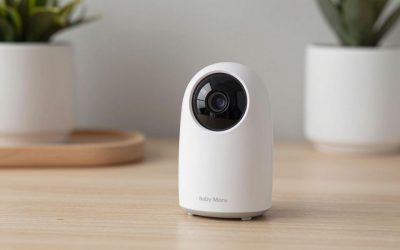
Whichever monitor you choose, placement matters almost as much as the model itself. Mount the camera out of baby’s reach and away from the crib rail — cords near a crib are a strangulation hazard, which is why most manufacturers specifically recommend mounting cameras several feet away and up high, angled down, rather than clipped to the crib itself.
Putting It Together
A simple way to decide: if privacy and simplicity matter most, go non-WiFi video. If you want sleep data and remote access from your phone, go WiFi smart camera. If cost is the main constraint, audio-only still does the core job. And if you want health metrics specifically (not just presence/absence of movement), that’s a distinct wearable-sensor category worth budgeting separately for.
FAQ
Are WiFi baby monitors a security risk?
Any internet-connected camera carries some risk if account security is weak — use a strong, unique password and enable two-factor authentication where the monitor’s app supports it.
Do I need night vision?
Yes, functionally — nearly all video monitors include infrared night vision since nurseries are dark during the hours monitors matter most.
Can I use a monitor without connecting it to home WiFi?
Yes — non-WiFi monitors use their own dedicated radio frequency between the camera and handheld viewer, bypassing your home network entirely.
Is a monitor still useful once my child moves to a toddler bed?
Yes — many parents keep using a monitor well past the crib stage, both for peace of mind overnight and, with WiFi models offering two-way talk, to settle a toddler back down without walking in every time.



Write Your Review
No reviews yet. Be the first to share your experience!